


Page 219 - CITS - CSA - TP (Volume 1) - Hindi
P. 219
कंप्यूटर सॉफ्टवेयर एप्लीकेशन- CITS


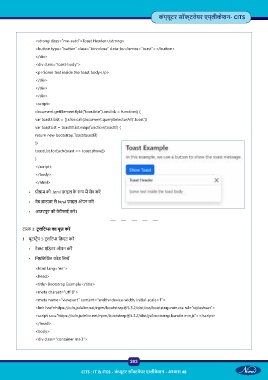
                 <strong class=”me-auto”>Toast Header</strong>

                 <button type=”button” class=”btn-close” data-bs-dismiss=”toast”></button>
                 </div>
                 <div class=”toast-body”>
                 <p>Some text inside the toast body</p>
                 </div>

                 </div>
                 </div>
                 <script>
                 document.getElementById(“toastbtn”).onclick = function() {
                 var toastElList = [].slice.call(document.querySelectorAll(‘.toast ))
                 var toastList = toastElList.map(function(toastEl) {

                 return new bootstrap.Toast(toastEl)
                 })
                 toastList.forEach(toast => toast.show())
                 }
                 </script>

                 </body>
                 </html>
              •   ो ाम को .html फ़ाइल के   प म  सेव कर

              •  वेब  ाउज़र से html फ़ाइल ओपन कर

              •  आउटपुट की वेरीफाई कर ।


           टा  3: टू लिट  का यूज़ कर
           1  बूट  ैप 5 टू लिट  ि एट कर

              •  टे  एिडटर ओपन कर

              •  िन िल खत कोड िलख

                 <html lang=”en”>
                 <head>
                 <title>Bootstrap Example</title>
                 <meta charset=”utf-8”>
                 <meta name=”viewport” content=”width=device-width, initial-scale=1”>
                 <link href=https://cdn.jsdelivr.net/npm/bootstrap@5.3.2/dist/css/bootstrap.min.css rel=”stylesheet”>

                 <script src=”https://cdn.jsdelivr.net/npm/bootstrap@5.3.2/dist/js/bootstrap.bundle.min.js”></script>
                 </head>
                 <body>
                 <div class=”container mt-3”>


                                                           203

                                     CITS : IT & ITES - कं  ूटर सॉ वेयर ए ीके शन - अ ास 48

