


Page 226 - CITS - CSA - TP (Volume 1) - Hindi
P. 226
कंप्यूटर सॉफ्टवेयर एप्लीकेशन- CITS


           टा  3: टाइपो ाफी पर अ ास कर

           1  टे  एिडटर ओपन

           2  िन िल खत कोड िलख

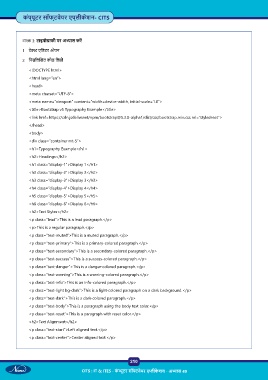
              <!DOCTYPE html>
              <html lang=”en”>
              <head>
              <meta charset=”UTF-8”>
              <meta name=”viewport” content=”width=device-width, initial-scale=1.0”>

              <title>Bootstrap v5 Typography Example</title>
              <link href=https://cdn.jsdelivr.net/npm/bootstrap@5.3.0-alpha1/dist/css/bootstrap.min.css rel=”stylesheet”>
              </head>
              <body>
              <div class=”container mt-5”>
              <h1>Typography Example</h1>
              <h2>Headings</h2>

              <h1 class=”display-1”>Display 1</h1>
              <h2 class=”display-2”>Display 2</h2>
              <h3 class=”display-3”>Display 3</h3>
              <h4 class=”display-4”>Display 4</h4>

              <h5 class=”display-5”>Display 5</h5>
              <h6 class=”display-6”>Display 6</h6>
              <h2>Text Styles</h2>
              <p class=”lead”>This is a lead paragraph.</p>
              <p>This is a regular paragraph.</p>
              <p class=”text-muted”>This is a muted paragraph.</p>
              <p class=”text-primary”>This is a primary-colored paragraph.</p>

              <p class=”text-secondary”>This is a secondary-colored paragraph.</p>
              <p class=”text-success”>This is a success-colored paragraph.</p>
              <p class=”text-danger”>This is a danger-colored paragraph.</p>
              <p class=”text-warning”>This is a warning-colored paragraph.</p>
              <p class=”text-info”>This is an info-colored paragraph.</p>

              <p class=”text-light bg-dark”>This is a light-colored paragraph on a dark background.</p>
              <p class=”text-dark”>This is a dark-colored paragraph.</p>
              <p class=”text-body”>This is a paragraph using the body text color.</p>
              <p class=”text-reset”>This is a paragraph with reset color.</p>
              <h2>Text Alignment</h2>
              <p class=”text-start”>Left aligned text.</p>

              <p class=”text-center”>Center aligned text.</p>


                                                           210

                                     CITS : IT & ITES - क ं  ूटर सॉ वेयर ए ीक े शन - अ ास 49

