


Page 270 - CITS - CSA - TP (Volume 1) - Hindi
P. 270
कंप्यूटर सॉफ्टवेयर एप्लीकेशन- CITS


                         ?>

                              </body>
                              </html>

           3   ो ाम को C:\Apache24\htdocs म  .php ए ट शन वाले फ़ो र म  सेव कर

           4  िवंडोज़ सिव स से अपाचे सिव स  चलाएँ
           5   ाउज़र ओपन कर  और िन  पता टाइप कर
              http://localhost/foldername/

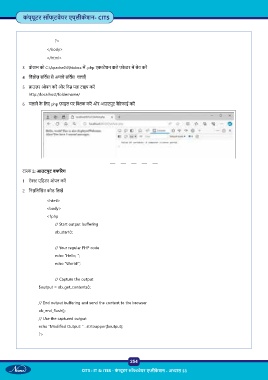
           6  चलाने के  िलए php फ़ाइल पर   क कर  और आउटपुट वे रफाई कर


           टा  2: आउटपुट बफ रंग
           1  टे  एिडटर ओपन कर

           2  िन िल खत कोड िलख

                              <html>
                              <body>
                              <?php
                          // Start output buffering
                          ob_start();


                          // Your regular PHP code
                         echo “Hello, “;
                         echo “World!”;


                         // Capture the output

                      $output = ob_get_contents();


                      // End output buffering and send the content to the browser
                      ob_end_flush();
                      // Use the captured output

                      echo “Modified Output: “ . strtoupper($output);
                      ?>


                                                           254

                                     CITS : IT & ITES - क ं  ूटर सॉ वेयर ए ीक े शन - अ ास 53

