


Page 277 - CITS - CSA - TP (Volume 1) - Hindi
P. 277
कंप्यूटर सॉफ्टवेयर एप्लीकेशन- CITS


           टा  6: फ़ाइल डाउनलोड कर

           •  टे  एिडटर ओपन कर

           •  िन िल खत कोड िलख

                     <?php
                                     $file_path = ‘path/to/your/file.pdf ;  // Replace with the actual file path

                                          $file_name = ‘downloaded_file.pdf ;   // Optional: Customize the filename   for     download

                        header(‘Content-Type: application/pdf );  // Set content type based on file extension

                 header(‘Content-Disposition: attachment; filename=”  . $file_name . ‘” );  // Force        download
                 header(‘Content-Length: ‘ . filesize($file_path));  // Set file size for better download           management

                               readfile($file_path);  // Read and output the file contents directly

                             // Alternatively, you can use:
                             // echo file_get_contents($file_path);

                                exit();  // Prevent further output

                                ?>
           •   ो ाम को C:\Apache24\htdocs म  .php ए ट शन वाले फ़ो र म  सेव कर

           •  िवंडोज़ सिव स से अपाचे सिव स चलाएँ

           •   ाउज़र ओपन कर  और िन  एड ेस टाइप कर
              http://localhost/foldername/
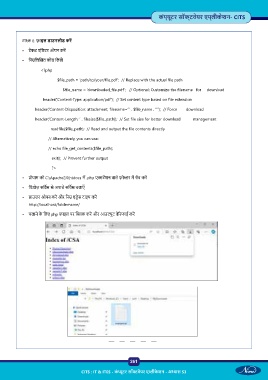
           •  चलाने के  िलए php फ़ाइल पर   क कर  और आउटपुट वे रफाई कर


                                                           261

                                     CITS : IT & ITES - कं  ूटर सॉ वेयर ए ीके शन - अ ास 53

