


Page 216 - CITS - Electronic Mechanic - TP (Volume 1) - Hindi
P. 216
इले   ॉिन  मैके िनक - CITS


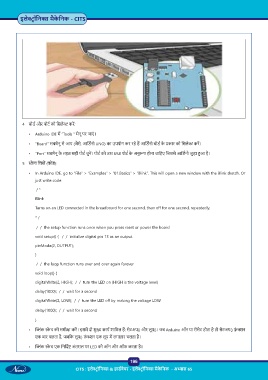
           4  बोड  और पोट  को िसले  कर :
              •   Arduino IDE म  “Tools “ मेनू पर जाएं ।

              •   “Board” सबमेनू से आप (जैसे, आिड नो UNO) का उपयोग कर रहे ह  आिड नो बोड  के   कार को िसले  कर ।

              •   “Port” सबमेनू के  तहत सही पोट  चुन । पोट  को उस USB पोट  के  अनु प होना चािहए िजससे आिड नो जुड़ा  आ है।
           5    े च िलख  (कोड):

              •  In Arduino IDE, go to “File” > “Examples” > “01.Basics” > “Blink”. This will open a new window with the Blink sketch. Or
                 just write code

                  / *
                 Blink

                 Turns on an LED connected in the breadboard for one second, then off for one second, repeatedly.

                 * /
                  /  /  the setup function runs once when you press reset or power the board

                 void setup() {   /  /  initialize digital pin 13 as an output.
                 pinMode(2, OUTPUT);

                 }
                  /  /  the loop function runs over and over again forever

                 void loop() {
                 digitalWrite(2, HIGH);  /  /  turn the LED on (HIGH is the voltage level)

                 delay(1000);  /  /  wait for a second
                 digitalWrite(2, LOW);  /  /  turn the LED off by making the voltage LOW

                 delay(1000);  /  /  wait for a second

                 }
              •    ंक  े च की समी ा कर । इसम  दो मु  काय  शािमल ह : सेटअप() और लूप()। जब Arduino ऑन या रीसेट होता है तो सेटअप() फ़ं  न
                 एक बार चलता है, जबिक लूप() फ़ं  न एक लूप म  लगातार चलता है।

              •     ंक  े च एक िनिद   अंतराल पर LED को ऑन और ऑफ करता है।


                                                           196
                                                           196
                                   CITS : इले   ॉिन  & हाड वेयर - इले   ॉिन  मैके िनक  - अ ास 65

